
Astro Browser
Adkins StudioCommunication
4.230.00 Reviews
- Version
- 1.1.7
- Installs
- 1.00M
- Age Rating
- Everyone
Screenshots
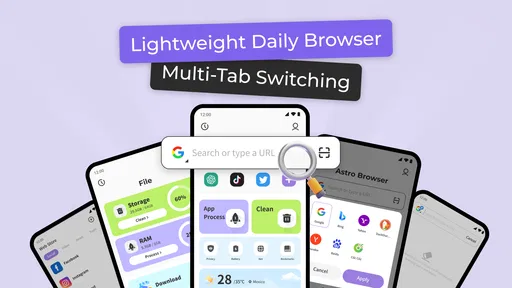
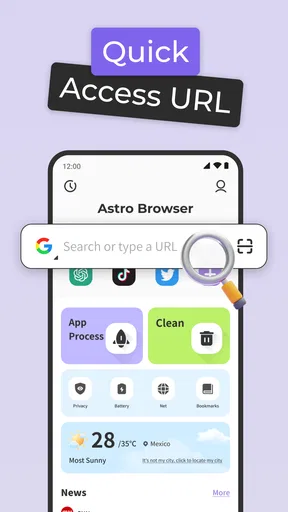
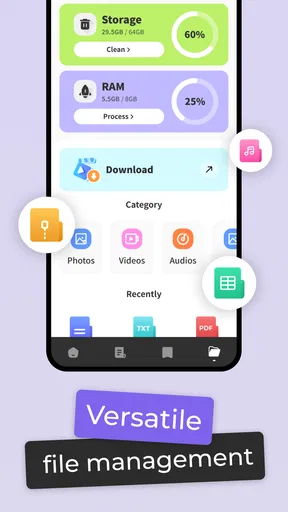
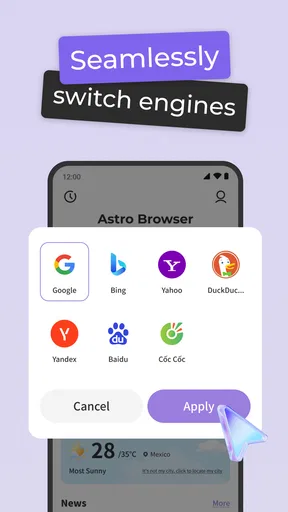
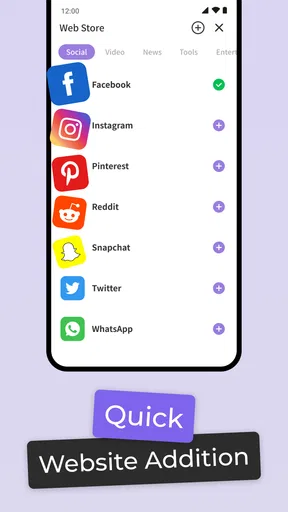
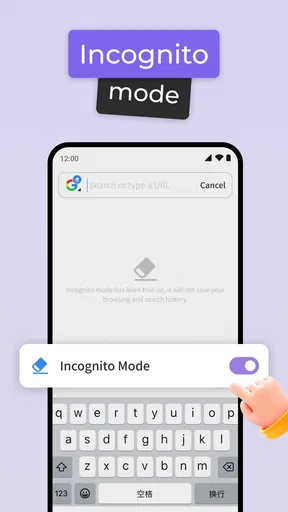
Our Review of Astro Browser
 Analysis by Appyee
I tend to judge a browser by what happens during ordinary, slightly messy days: opening a link from a message, checking a page while moving between apps, returning to something I read earlier, and doing all of that without feeling that the browser is getting in the way. Astro Browser, from Adkins Studio, takes a straightforward approach to that job. It is a free communication app for Android, aimed at people who want a portable and practical way to browse rather than a crowded collection of extras.
After using it as a daily browser, my impression is pleasantly simple. It is easy to understand, quick to bring into a routine, and better suited to light browsing than to users who expect a full desktop replacement. The current release is version 1.1.1, and it works on Android 8.0 and later. That broad compatibility makes it a realistic option for people who keep an older phone as a second device or do not want to replace a perfectly usable handset just to try a newer browser.
How Astro Browser fits into a normal day
I find a browser earns its place when it handles the small transitions in a day well: moving from a message to a useful page, checking a detail, then returning to what I was doing. In this section, I look at how Astro Browser can fit those short visits without turning every link into a longer browsing session. That everyday pattern also makes it easier to decide what to check before relying on it more regularly.
A clean starting point for everyday browsing
The most useful way to approach Astro Browser is to treat it as a dependable doorway to the web, not as a complicated productivity system. I found it comfortable for reading articles, checking information, opening pages shared in chat, and handling quick searches. Those tasks are exactly where a portable browser earns its place: the app needs to open without ceremony, present the page clearly, and let me move on.
That simplicity also helps when the browser is used alongside communication apps. If a friend sends a restaurant page, a ticket page, or a product listing, I can open it, inspect the important details, and return to the conversation without learning a new interface. For people who mainly browse through links received in messages, this is a more relevant test than a long list of advanced tools.
I would describe the experience as approachable rather than feature-heavy. The store presents it as a practical browser, and that description matches the role it plays. It does not ask me to reorganize my whole online life before I can use it. I can make it part of an existing routine: search, read, close or return later, then continue with the conversation or task that brought me there.
A realistic use case: browsing while handling a conversation
Imagine receiving a message with several links for a weekend plan. I would open the first page in Astro Browser, check the address and opening information, then move back to the message and repeat the process for the next link. The advantage here is not a dramatic new browsing method. It is the reduced friction of having a browser that feels ready for short visits instead of demanding attention of its own.
For this kind of workflow, I recommend keeping a small habit: decide whether a page matters before leaving it. If it is only a quick reference, close it when finished. If it contains information I will need again, I keep track of it deliberately rather than assuming I will find it effortlessly later. That habit matters because a lightweight browser is easiest to manage when I do not allow an unplanned pile of pages to become my memory system.
This is also where expectations should stay realistic. Astro Browser is not automatically the best choice for someone whose entire day involves research, many simultaneous pages, synchronized browsing across several devices, or deep customization. A larger, established browser may be a better fit for those needs. Astro Browser makes more sense when the priority is a compact, understandable browsing tool for an Android phone.
Who will appreciate the uncomplicated approach
I can recommend it to users who want a free Android browser for ordinary links and searches, especially if they prefer not to deal with a complicated interface. It is also worth considering for a spare phone, a family device, or anyone using an older supported Android version. The age rating is Everyone, which suits its general-purpose communication role and makes it approachable for a broad audience.
Its public reception is encouraging without being something I would treat as conclusive proof. Astro Browser has an average rating of 4.5 from around thirty-four ratings, with one written review, and it has passed ten thousand installs. Those figures suggest that people are finding value in the basic idea, but the relatively small amount of feedback means I would still judge it by my own browsing habits rather than by popularity alone.
Settings I would check before settling in
My first recommendation after installing any browser is to spend a few minutes looking through its available controls before using it heavily. With Astro Browser, that means checking how the start screen behaves, how searches are initiated, and how the app handles the pages I open repeatedly. I would not change settings randomly. I would adjust only what affects the actions I perform every day.
A useful starting point is deciding whether I want the browser to open into a search-oriented screen or to return me to something I was already doing. The better choice depends on the phone’s role. On a personal device used for varied browsing, a fresh starting point can feel cleaner. On a device used for repeated work links, returning to an ongoing task may save time. The important point is to choose deliberately instead of accepting a default that does not match the way I browse.
I also pay attention to how easy it is to reach the address or search field. When a browser is used mostly from links, I want the address area to remain obvious. When it is used for quick questions, I want search entry to be immediate. This sounds minor, but repeated small delays are what make a browser feel inconvenient over a week of use.
Another setting habit is to review the browser after several days, not just during the first launch. My needs become clearer once I have opened real pages. If I keep returning to the same type of site, I can decide whether it deserves a saved shortcut or simply a place in my routine. If I rarely use a function, I avoid building my workflow around it. The best setup is the one that removes repeated steps without adding new maintenance.
Settings are only useful when they support a repeatable routine
I do not recommend changing every available option just because it exists. For Astro Browser, the practical approach is to identify three recurring actions: how I begin browsing, how I return to an important page, and how I finish a session. Then I shape the app around those actions. This prevents the common mistake of spending more time configuring a browser than using it.
For example, if I use the app to check delivery updates or event details, I can keep the relevant page easy to reach and close it once the task is complete. If I use it mostly for reading, I can create a habit of finishing one article before opening several more. The browser itself does not need to become a project-management tool. My routine supplies the structure.
Faster patterns that make a small browser feel more capable
The biggest speed improvement I found comes from reducing decisions. Before opening Astro Browser, I try to know whether I am searching, following a link, or returning to a page. That simple distinction helps me avoid wandering through unrelated tabs or repeatedly typing the same destination. It is a user habit, but it is exactly the kind of habit that reveals whether a browser is comfortable in daily life.
I also use communication apps as the starting point for many sessions. When a link arrives, I open it for the specific reason it was sent, check the information I need, and then return to the conversation. This keeps browsing connected to the original task. It is particularly useful for pages that do not deserve a permanent place in my browsing history or daily shortcuts.
For repeated destinations, I prefer a small, intentional collection rather than saving everything. A shortcut is valuable when I use it frequently enough to justify one less search. It becomes clutter when I save pages simply because they might be useful someday. With a portable browser such as this, restraint is a real advantage: a short list is easier to recognize and use than a large archive.
Another effective pattern is separating reading sessions from checking sessions. When I only need a fact, I avoid opening a chain of related pages. When I want to read, I give myself enough time to finish or consciously stop. This makes Astro Browser feel faster because I am not asking it to manage an uncontrolled stream of half-finished tasks.
Using the browser on an older or secondary phone
Astro Browser’s Android 8.0 minimum makes it relevant beyond the newest handsets. On an older device, I would use it for focused tasks: opening links, checking services, reading short pages, and handling web-based communication. I would avoid turning that phone into a heavy research workstation. A lighter role is more likely to keep the experience comfortable and predictable.
It can also work well as a separate browser for a particular purpose, such as a shared household phone or a backup device. The benefit is not that it magically isolates every kind of activity; rather, assigning the device a clear job makes the app easier to manage. I would still be careful with sensitive accounts on any shared phone and would make sure I understand the browser’s available controls before using it for private information.
Where experienced users should be cautious
The main limitation is the same quality that makes Astro Browser approachable: it does not present itself as a deep, all-in-one browsing platform. Users who depend on extensive synchronization, sophisticated tab management, detailed privacy controls, developer tools, or a mature extension ecosystem may find a mainstream alternative more suitable. I would not choose this app solely because it is free if my work depends on those capabilities.
There is also a trade-off between a clean workflow and discoverability. A simpler browser can make common actions easier, but it may provide fewer ways to adapt the experience to unusual habits. If I browse across several devices and expect every page, setting, and saved item to follow me, I would first verify that the app fits that workflow rather than assuming it will behave like a long-established browser.
Heavy researchers should think carefully before switching. If my normal session involves many sources, frequent cross-referencing, and returning to a large set of open pages, I would probably stay with a browser designed around that workload. Astro Browser is more convincing for focused browsing, where I open a page for a reason and do not expect the app to organize an entire research project.
What the version and download details mean in practice
The current version, 1.1.1, suggests that the app is still a relatively focused product rather than a sprawling platform with years of accumulated complexity. That can be appealing because there are fewer layers to learn. It also means I would keep my expectations measured and pay attention to how well the app continues to match my needs as my browsing habits change.
Because the app is free, trying it is straightforward for users with a compatible Android phone. I would install it, use it for the actual links and searches I perform during a normal week, and compare the friction with my current browser. The fair test is not whether it looks appealing for five minutes; it is whether I reach for it naturally when a message contains a link or when I need a quick answer.
My verdict after building a routine around it
Astro Browser is a sensible choice when I want browsing to stay in the background. Its strengths are its clear purpose, free access, support for older Android versions, and suitability for short communication-driven sessions. I like it most when I use it with repeatable habits: open the right page, check the needed information, save only what matters, and close the rest.
I would recommend it to someone who wants a practical mobile browser without making browsing itself into a complicated hobby. It is especially easy to justify for everyday links, quick searches, reading, and a secondary Android device. The app’s Everyone rating and growing install base make it approachable, while its 4.5 average gives it a promising first impression.
I would steer power users toward a more established alternative if they require deep synchronization, advanced organization, or extensive customization. That is not a criticism of Adkins Studio’s direction; it is simply the boundary of this app’s appeal. Astro Browser works best when I give it a focused job instead of expecting it to replace every browser tool I have ever used.
My final advice is to judge it by routine rather than by feature count. Install it, adjust only the controls that affect your real behavior, and test it with the links you open every day. If its straightforward design helps you finish those tasks with fewer distractions, it has done its job well. For me, that is the strongest reason to keep it available: it is a compact, approachable option for browsing that begins with communication and stays practical.
Privacy and Permissions
See what permissions an app requests and how it handles your data.
- Location
- approximate location (network-based), precise location (GPS and network-based)
- Photos/Media/Files
- read the contents of your USB storage, modify or delete the contents of your USB storage
- Storage
- read the contents of your USB storage, modify or delete the contents of your USB storage
- Camera
- take pictures and videos
- Wi-Fi connection information
- view Wi-Fi connections
- Other
- view network connections, disable your screen lock, full network access, control vibration, prevent device from sleeping, modify system settings, Google Play license check
Verdict
Strengths of Astro Browser
- Fast page loading, even when switching between multiple open tabs.
- Clean interface makes essential browsing tools easy to find.
- Built-in privacy features help reduce unwanted tracking while browsing.
- Supports bookmarks and browsing history for convenient page access.
- Useful for users who want a lightweight alternative to larger browsers.
Limitations of Astro Browser
- Some websites may not display perfectly in the less common browser.
- Advanced extensions and customization options are limited.
- Privacy tools can occasionally interfere with logins or embedded content.
- Performance may vary noticeably on older or low-memory devices.
- Sync options may be less comprehensive than those in major browsers.
Similar Picks in This Category
View All
Google Messages
Google LLC4.6

Gmail
Google LLC4.1

Google Meet
Google LLC4.4

Google Chrome
Google LLC4.1

WhatsApp Messenger
WhatsApp LLC4.6

Carrier Services
Google LLC4.2
Frequently Asked Questions
What is Astro Browser, and what can I use it for?
Astro Browser is a mobile web browser designed for visiting websites, searching the internet, reading online content, and accessing web-based services from an Android or iOS device. Its usefulness depends on the version available for your device, but users should generally expect standard browsing tools such as tabs, bookmarks, history, address-bar search, and privacy-related settings. Check the store listing before downloading to confirm the current features.
Is Astro Browser safe to download and use?
Before installing Astro Browser, download it only from the official Google Play Store or Apple App Store and verify the developer name, ratings, update history, and requested permissions. A browser can potentially access sensitive information because it handles websites, logins, and browsing data. Review its privacy policy carefully, keep the app updated, and avoid entering confidential details on suspicious websites, regardless of which browser you use.
Does Astro Browser protect my privacy while I browse?
Astro Browser may include privacy options such as private browsing, cookie controls, tracking protection, or the ability to clear browsing data, but the exact tools can vary by platform and app version. Private mode does not make you completely anonymous: your internet provider, network administrator, and visited websites may still collect information. Review the browser’s privacy settings and permissions immediately after installation.
Is Astro Browser free, and does it contain advertisements or in-app purchases?
The download price, advertising model, and available in-app purchases can differ between Android and iOS versions or change after an update. Before proceeding, inspect the official store page for labels such as “contains ads” or “in-app purchases.” Also check whether optional premium features, subscriptions, or promotional offers are clearly explained, especially if you intend to use Astro Browser as your everyday browser.
Will Astro Browser work well on my phone and support my usual websites?
Compatibility depends on your device model, operating-system version, available storage, and the browser build offered in your region. Most modern browsers handle common websites, video services, online forms, and web applications, but some pages may behave differently because of compatibility, content blockers, or outdated software. Check the minimum requirements and recent user reviews, then test important services before making Astro Browser your primary browser.
